· AIZENOVA · Programming · 13 min read
Astro Framework Guide: The Complete Beginner's Guide to Building Fast Websites (2026)
Learn everything about the Astro framework, including installation, project structure, components, routing, content collections, SEO, deployment, and why Astro is one of the fastest frameworks for blogs and content-driven websites.
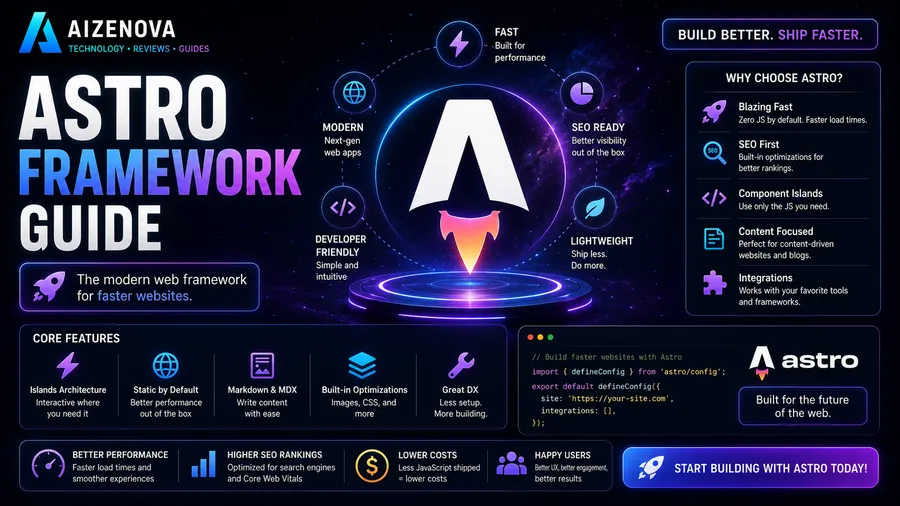
Modern websites need to be fast, SEO-friendly, and easy to maintain. While many JavaScript frameworks focus on building complex web applications, Astro takes a different approach by prioritizing content, performance, and simplicity.
Unlike traditional frameworks that send large amounts of JavaScript to the browser, Astro ships zero JavaScript by default. Interactive components only load JavaScript when they’re actually needed through Astro’s Islands Architecture. This results in faster page loads, improved Core Web Vitals, and an excellent user experience. :contentReference[oaicite:2]{index=2}
Whether you’re building a personal blog, documentation site, company website, portfolio, or marketing landing page, Astro provides a modern development experience while generating highly optimized websites.
In this complete guide, you’ll learn what Astro is, how it works, why developers love it, how to build your first project, and whether it’s the right framework for your next website.
Quick Summary
| Framework | Astro |
| Language | JavaScript / TypeScript |
| Category | Static Site Generator & Web Framework |
| Best For | Blogs, Documentation, Marketing Sites, Portfolios |
| Learning Difficulty | ⭐⭐☆☆☆ Beginner |
| Reading Time | 18 Minutes |
| Last Updated | August 5, 2026 |
Definition
Astro is a modern web framework that builds content-focused websites by rendering pages on the server and shipping little or no JavaScript to the browser unless interactive components explicitly require it.
Table of Contents
- What Is Astro?
- Why Developers Choose Astro
- How Astro Works
- Islands Architecture Explained
- Installing Astro
- Project Structure
- Astro Components
- Routing
- Content Collections
- Styling
- SEO Features
- Performance
- Astro vs Next.js
- Deployment
- Common Mistakes
- FAQ
- Conclusion
What Is Astro?
Astro is an open-source web framework created specifically for building fast, content-driven websites.
Instead of assuming every page needs a large JavaScript application running in the browser, Astro generates lightweight HTML by default and only loads JavaScript for components that actually require interactivity.
This design philosophy makes Astro an excellent choice for websites where content is the primary focus.
Examples include:
- Blogs
- Documentation websites
- Business websites
- Landing pages
- Portfolio websites
- SaaS marketing sites
- E-commerce storefronts
- Knowledge bases
Rather than trying to replace every frontend framework, Astro works alongside popular libraries such as React, Vue, Svelte, Solid, and Preact.
This flexibility allows developers to use their favorite tools without sacrificing performance. :contentReference[oaicite:3]{index=3}
Why Developers Choose Astro
Astro has become one of the fastest-growing web frameworks because it solves one of the biggest problems in modern web development:
Too much JavaScript.
Many modern websites send hundreds of kilobytes—or even megabytes—of JavaScript before users can interact with the page.
Astro avoids this problem.
Its biggest advantages include:
- Extremely fast page loading
- Excellent Core Web Vitals
- Better SEO performance
- Smaller JavaScript bundles
- Easy Markdown support
- Great developer experience
- Support for multiple frontend frameworks
- Static Site Generation (SSG)
- Server-Side Rendering (SSR)
- Hybrid rendering options
For content-heavy websites, these benefits often translate into a noticeably faster browsing experience. :contentReference[oaicite:4]{index=4}
How Astro Works
Unlike traditional frontend frameworks that rely heavily on client-side JavaScript, Astro renders pages on the server during the build process or on demand.
The result is optimized HTML that loads quickly in the browser.
Interactive components only become interactive when explicitly requested using Astro’s client directives.
For example:
- Static text ships as HTML.
- Images remain optimized.
- Interactive search boxes load JavaScript only when needed.
- Contact forms hydrate only the required components.
This selective loading dramatically reduces unnecessary JavaScript.
Islands Architecture Explained
One of Astro’s most innovative features is Islands Architecture.
Traditional JavaScript frameworks often hydrate an entire page, meaning every interactive component loads JavaScript whether the user needs it or not.
Astro takes a different approach.
Only the components that actually require interactivity receive JavaScript.
Everything else remains lightweight HTML.
This significantly reduces page size and improves loading speed.
How Islands Architecture Works
Imagine a blog article.
Most of the page contains:
- Headings
- Paragraphs
- Images
- Tables
- Lists
None of these elements require JavaScript.
The only interactive parts might be:
- Search box
- Theme switcher
- Newsletter form
- Comments
- Image carousel
Astro sends JavaScript only for those components.
Everything else stays static.
Visual Example
Browser
│
├── HTML Content (No JavaScript)
│      ✓ Fast
│      ✓ SEO Friendly
│
├── Search Component
│      ▼
│   Loads JS Only
│
├── Theme Toggle
│      ▼
│   Loads JS Only
│
└── Newsletter Form
       ▼
    Loads JS Only
This selective hydration is one of the biggest reasons Astro websites achieve excellent performance scores.
Benefits of Islands Architecture
- Faster loading times
- Better Core Web Vitals
- Reduced JavaScript
- Improved SEO
- Better user experience
- Lower bandwidth usage
For blogs, documentation sites, and marketing pages, this architecture provides an excellent balance between performance and interactivity.
💡 Developer Tip
Before adding a JavaScript framework everywhere, ask yourself whether the component truly needs to be interactive. In Astro, less JavaScript usually means a faster website.
Installing Astro
Getting started with Astro is straightforward.
First, ensure you have a recent version of Node.js installed.
Then create a new project using the official Astro setup command.
During installation, you’ll be asked to choose options such as:
- Project template
- TypeScript support
- Package manager
- Git initialization
After installation, start the local development server and open the provided local address in your browser.
From there, changes update automatically as you edit your files.
Basic Development Workflow
A typical Astro workflow looks like this:
Create Project
       │
       ▼
Install Dependencies
       │
       ▼
Run Development Server
       │
       ▼
Build Pages
       │
       ▼
Test Website
       │
       ▼
Deploy
This simple workflow makes Astro approachable for beginners while remaining powerful enough for large projects.
Understanding the Project Structure
A well-organized project structure makes development easier as your website grows.
A typical Astro project contains directories similar to these:
| Folder | Purpose |
|---|---|
src/ | Main source code |
src/pages/ | Website pages |
src/components/ | Reusable components |
src/layouts/ | Shared page layouts |
src/content/ | Content Collections |
src/assets/ | Images, fonts, and other assets |
public/ | Static files served directly |
astro.config.mjs | Astro configuration |
Keeping files organized improves maintainability and collaboration.
Pages Folder
Every file inside the src/pages directory automatically becomes a route.
Examples:
| File | URL |
|---|---|
index.astro | / |
about.astro | /about/ |
contact.astro | /contact/ |
blog/index.astro | /blog/ |
This file-based routing system is simple and easy to understand.
Astro Components
Components allow developers to reuse interface elements throughout a website.
Instead of rewriting the same code multiple times, create a component once and use it wherever needed.
Examples include:
- Navigation bars
- Hero sections
- Buttons
- Cards
- Footers
- Testimonials
- Blog previews
- Pricing tables
Reusable components reduce duplication and simplify maintenance.
Why Components Matter
Imagine updating your website’s navigation.
Without components, you would need to edit every page individually.
With Astro components, you update one file and every page automatically reflects the change.
This saves time and reduces mistakes.
Layouts
Layouts define the overall structure shared across multiple pages.
For example, a blog layout may include:
- Header
- Navigation
- Article content
- Sidebar
- Footer
Each article only provides its unique content while the layout handles the common design.
Layouts help maintain consistency throughout the website.
File-Based Routing
Astro automatically creates URLs based on file names.
Examples:
src/pages/

index.astro
about.astro
pricing.astro
contact.astro
blog/index.astro
blog/getting-started.astro
Generates:
/
about/
pricing/
contact/
blog/
blog/getting-started/
Developers rarely need to configure routes manually.
Dynamic Routes
Astro also supports dynamic pages.
Examples include:
- Blog articles
- Product pages
- Documentation
- Author profiles
Instead of manually creating hundreds of files, Astro can generate pages automatically using dynamic data.
This makes it ideal for content-rich websites.
Content Collections
One of Astro’s most powerful features is Content Collections.
Instead of storing articles as random Markdown files, Content Collections provide structure, validation, and type safety.
Each article can include frontmatter such as:
- Title
- Description
- Author
- Tags
- Category
- Publish date
- Featured image
Astro validates this information automatically, helping prevent publishing errors.
For blogs with dozens or hundreds of articles, Content Collections significantly improve organization and scalability.
Why Content Collections Are Great for Blogs
Benefits include:
- Better content organization
- Type safety
- Automatic validation
- Easier filtering
- Better developer experience
- Improved maintainability
For websites like AIZENOVA, which publish many long-form guides, Content Collections are one of Astro’s strongest features.
💡 Pro Tip
If you’re building a blog, documentation website, or knowledge base, use Content Collections from the beginning. They’re much easier to manage than plain Markdown files as your content library grows.
Styling in Astro
Astro gives developers the freedom to style websites using the tools they already know. You’re not limited to a single approach, making it easy to choose the workflow that best fits your project.
Supported styling options include:
- Plain CSS
- CSS Modules
- Sass (SCSS)
- Tailwind CSS
- UnoCSS
- Styled frameworks (through supported integrations)
This flexibility allows developers to build anything from simple blogs to large business websites.
Using Tailwind CSS
Tailwind CSS is one of the most popular styling solutions for Astro projects.
Instead of writing large CSS files, developers build interfaces using utility classes.
Benefits include:
- Faster development
- Consistent design
- Smaller CSS bundles
- Easier responsive layouts
- Excellent community support
Many modern Astro starter templates already include Tailwind CSS by default.
Image Optimization
Images often account for the largest portion of a webpage’s size.
Astro includes built-in image optimization tools that help improve loading speed without sacrificing quality.
Benefits include:
- Automatic optimization
- Responsive image generation
- Modern image formats
- Lazy loading
- Reduced bandwidth usage
Optimized images improve both user experience and Core Web Vitals.
Best Practices for Images
To maximize performance:
- Use WebP or AVIF when possible.
- Compress images before uploading.
- Provide descriptive file names.
- Add meaningful alt text.
- Avoid oversized images.
- Use responsive dimensions.
These simple practices improve accessibility, SEO, and loading speed.
SEO Features
One of Astro’s biggest strengths is search engine optimization.
Because Astro generates lightweight HTML, search engines can crawl pages efficiently without relying heavily on JavaScript.
SEO-friendly features include:
- Server-rendered HTML
- Fast page loading
- Clean URLs
- Automatic sitemap support
- Canonical URLs
- Meta tags
- Open Graph support
- Structured data support
- RSS feed integration
These features help improve visibility in search engines when combined with high-quality content.
Why Performance Matters for SEO
Google considers page experience and loading speed among many ranking signals.
A faster website can provide:
- Better user engagement
- Lower bounce rates
- Improved Core Web Vitals
- Better mobile experience
- Faster indexing
While great content remains the most important factor, strong technical performance supports long-term SEO success.
Performance
Astro is widely recognized for producing exceptionally fast websites.
Unlike many frameworks that hydrate entire pages, Astro minimizes JavaScript by default.
Performance benefits include:
- Smaller page sizes
- Faster First Contentful Paint (FCP)
- Better Largest Contentful Paint (LCP)
- Reduced JavaScript execution
- Faster Time to Interactive (TTI)
For content-focused websites, these improvements create a smoother browsing experience.
Astro vs Traditional JavaScript Frameworks
Traditional frontend frameworks often send large JavaScript bundles to every visitor.
Astro follows a different philosophy.
Traditional Framework

HTML
+
Large JavaScript Bundle
+
Hydration
=
Slower Initial Load

----------------------------

Astro

Optimized HTML
+
JavaScript Only When Needed
=
Faster Website
This architecture is one of Astro’s defining advantages.
Astro vs Next.js
Astro and Next.js are both powerful frameworks, but they are designed for different priorities.
| Feature | Astro | Next.js |
|---|---|---|
| Primary Focus | Content Websites | Full-Stack Applications |
| Default JavaScript | Minimal | More Client JavaScript |
| SEO | Excellent | Excellent |
| Learning Curve | Easier | Moderate |
| Performance | Outstanding | Very Good |
| Static Site Generation | Yes | Yes |
| Server Rendering | Yes | Yes |
| Best For | Blogs, Docs, Marketing | Dashboards, SaaS, Web Apps |
If your project is mainly content-driven, Astro is often the simpler and faster choice.
If you’re building a highly interactive application with complex business logic, Next.js may be a better fit.
Deploying an Astro Website
After building your website locally, the final step is deployment.
Astro supports many popular hosting platforms.
Common deployment options include:
- Vercel
- Netlify
- Cloudflare Pages
- GitHub Pages
- Render
- Railway
- Traditional web servers (depending on your build output)
Deployment usually involves:
- Connecting your Git repository.
- Selecting the project.
- Configuring the build settings.
- Deploying the production version.
Many hosting providers automatically redeploy your website whenever you push changes to your repository.
Why Developers Love Astro
Developers often choose Astro because it combines excellent performance with a simple development experience.
Some of its biggest strengths include:
- Clean project structure
- Modern tooling
- Outstanding documentation
- Flexible integrations
- Excellent Markdown support
- Strong TypeScript support
- Growing ecosystem
- Active open-source community
Whether you’re building a personal blog or a professional documentation site, Astro provides an enjoyable development workflow.
💡 Developer Insight
Astro doesn’t try to replace every JavaScript framework. Instead, it lets you use the right amount of JavaScript for each project—helping you build websites that are both fast and maintainable.
Common Beginner Mistakes
Astro is beginner-friendly, but new developers often make a few common mistakes that can reduce performance or make projects harder to maintain.
Avoiding these issues will help you build faster, cleaner, and more scalable websites.
1. Loading Too Much JavaScript
One of Astro’s biggest advantages is shipping little or no JavaScript by default.
Some beginners accidentally import interactive frameworks everywhere, removing many of Astro’s performance benefits.
Only add JavaScript when a component truly requires interactivity.
2. Ignoring Components
Repeating the same code across multiple pages makes projects difficult to maintain.
Instead, create reusable components for:
- Navigation
- Buttons
- Cards
- Hero sections
- Footers
- Blog previews
Reusable components keep projects organized and reduce duplication.
3. Poor File Organization
As websites grow, keeping files organized becomes increasingly important.
Group related files into logical folders and use clear naming conventions.
A clean project structure makes future updates much easier.
4. Forgetting Image Optimization
Uploading large, uncompressed images slows down your website.
Always:
- Compress images
- Use modern formats like WebP or AVIF
- Add descriptive alt text
- Choose appropriate dimensions
Small improvements to images can significantly improve page speed.
5. Neglecting SEO
Even the fastest website won’t rank well if basic SEO is ignored.
Before publishing a page, make sure you:
- Write a descriptive title
- Add a meta description
- Use heading hierarchy (H1, H2, H3)
- Optimize images
- Link to related articles
- Include structured internal linking
6. Not Using Content Collections
For blogs and documentation sites, Content Collections provide validation, organization, and better maintainability.
Starting with Content Collections early can save a great deal of time as your website grows.
💡 Pro Tip
Build for simplicity first. Astro performs best when you embrace its philosophy of sending as little JavaScript as possible while keeping your project well organized.
Frequently Asked Questions
What is Astro?
Astro is a modern web framework designed for building fast, content-focused websites. It generates optimized HTML and only loads JavaScript for interactive components when necessary.
Is Astro good for beginners?
Yes.
Astro has a gentle learning curve, excellent documentation, and a straightforward project structure, making it an excellent choice for developers who are new to modern web development.
Is Astro better than React?
Astro and React solve different problems.
Astro is a complete web framework focused on performance and content-driven websites, while React is a UI library for building interactive interfaces.
Interestingly, Astro can also use React components when needed.
Can Astro use React, Vue, or Svelte?
Yes.
Astro supports multiple frontend frameworks through official integrations, allowing developers to mix technologies within the same project.
Is Astro good for SEO?
Absolutely.
Because Astro generates lightweight HTML and minimizes unnecessary JavaScript, it provides an excellent foundation for search engine optimization when combined with quality content and proper SEO practices.
Is Astro suitable for blogs?
Yes.
Astro is widely considered one of the best frameworks for blogs thanks to its speed, Markdown support, Content Collections, and strong SEO capabilities.
Can Astro build dynamic websites?
Yes.
In addition to static site generation, Astro also supports server-side rendering, API routes, hybrid rendering, and dynamic content depending on your project’s requirements.
Is Astro faster than Next.js?
For many content-focused websites, Astro often produces smaller JavaScript bundles and faster initial page loads.
However, the best framework depends on your project’s goals and architecture.
Which hosting providers support Astro?
Astro can be deployed to many popular platforms, including Vercel, Netlify, Cloudflare Pages, Render, Railway, GitHub Pages, and traditional hosting environments that support its build output.
Should I learn Astro in 2026?
Yes.
If you’re interested in building blogs, documentation sites, marketing websites, portfolios, or other content-heavy projects, Astro is one of the best frameworks to learn due to its focus on speed, simplicity, and developer experience.
Conclusion
Astro has established itself as one of the most exciting frameworks for modern web development by focusing on what many websites need most: speed, simplicity, and excellent content delivery.
Instead of sending large JavaScript bundles to every visitor, Astro embraces a performance-first philosophy through Islands Architecture, allowing interactive components to load only when necessary.
This approach results in faster websites, better Core Web Vitals, and an improved user experience without sacrificing flexibility.
Whether you’re creating a personal blog, documentation platform, company website, or marketing landing page, Astro provides the tools needed to build scalable, SEO-friendly websites that are enjoyable to develop and maintain.
As the web continues to prioritize performance and user experience, Astro is well positioned to remain one of the leading frameworks for content-driven projects.
Key Takeaways
✓ Astro is designed for fast, content-focused websites.
✓ Islands Architecture minimizes unnecessary JavaScript.
✓ Excellent performance improves user experience and SEO.
✓ Content Collections simplify blog and documentation management.
✓ Astro supports React, Vue, Svelte, and other frontend frameworks.
✓ Flexible deployment options make publishing straightforward.
✓ Astro is an excellent choice for blogs, documentation, portfolios, and marketing websites.
Related Articles
Continue exploring web development with these guides on AIZENOVA:
- HTML & CSS Guide for Beginners
- JavaScript for Beginners
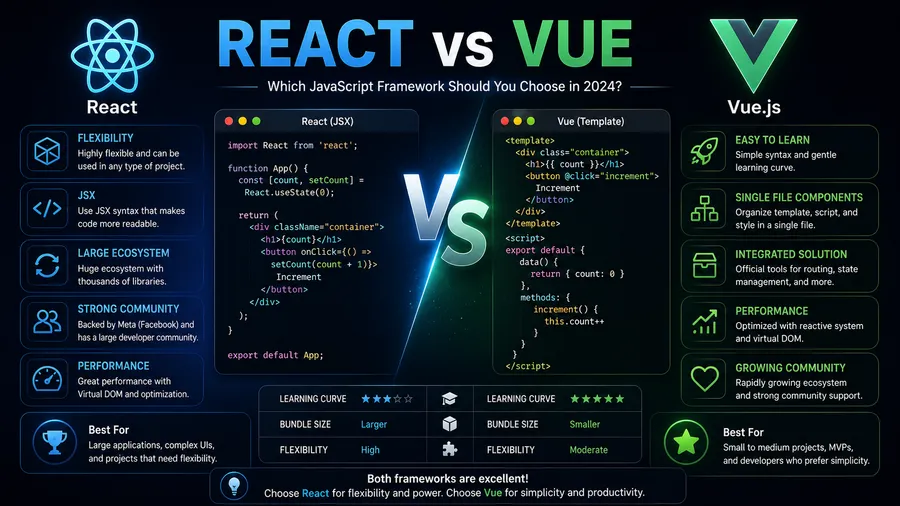
- React vs Vue
- Git & GitHub Guide
- What Is an API?
- SEO Guide for Developers
These articles complement this guide and will help you build modern, high-performance websites.
About AIZENOVA
AIZENOVA publishes practical, in-depth tutorials covering Artificial Intelligence, Programming, Web Development, Technology, SEO, Cybersecurity, and Online Business.
Our goal is to help beginners and professionals build valuable digital skills through clear explanations, honest comparisons, and actionable learning resources.
Whether you’re learning your first programming language or building your next high-performance website with Astro, AIZENOVA is here to support your journey.