· Hamza · Programming · 4 min read
HTML & CSS Guide: A Complete Beginner's Guide to Building Modern Websites
Learn HTML and CSS from scratch. Understand web page structure, styling, layouts, responsive design, and best practices for modern web development.
HTML & CSS Guide: A Complete Beginner’s Guide to Building Modern Websites
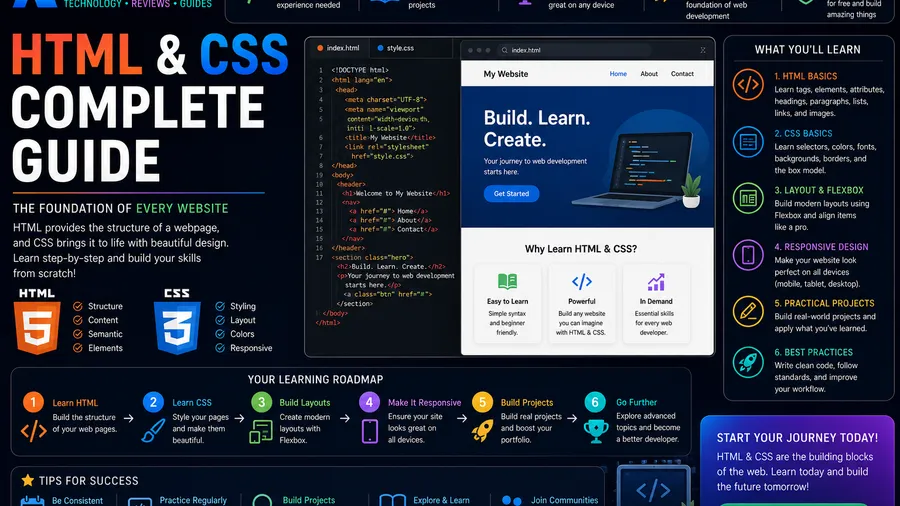
HTML and CSS are the foundation of every website on the internet. Before learning JavaScript, React, or any modern web framework, every web developer should first understand these two essential technologies.
In this guide, you’ll learn what HTML and CSS are, how they work together, and the fundamental concepts needed to build modern, responsive websites.
What Is HTML?
HTML (HyperText Markup Language) is the standard language used to create the structure of web pages.
HTML defines elements such as:
- Headings
- Paragraphs
- Images
- Links
- Buttons
- Lists
- Forms
- Tables
Think of HTML as the skeleton of a website.
What Is CSS?
CSS (Cascading Style Sheets) controls the appearance of HTML elements.
With CSS, you can change:
- Colors
- Fonts
- Spacing
- Backgrounds
- Layouts
- Animations
- Responsive behavior
Without CSS, websites would appear as plain, unstyled documents.
How HTML and CSS Work Together
HTML creates the content.
CSS styles that content.
For example:
<h1>Hello World</h1>h1 {
color: blue;
font-size: 40px;
}HTML displays the heading, while CSS controls its appearance.
Basic HTML Structure
Every HTML document follows a basic structure:
<!DOCTYPE html>
<html>
<head>
    <title>My Website</title>
</head>

<body>

    <h1>Welcome</h1>
    <p>This is my first webpage.</p>

</body>
</html>
This structure serves as the foundation for every web page.
Common HTML Elements
Some of the most frequently used HTML tags include:
<h1></h1>
<p></p>
<a></a>
<img>
<div></div>
<section></section>
<header></header>
<footer></footer>
<nav></nav>
<button></button>
Learning these elements allows you to build nearly any web page.
Adding CSS
CSS can be added in three ways.
Inline CSS
<p style="color:red;">Hello</p>Internal CSS
<style>

p{
    color:red;
}

</style>
External CSS
<link rel="stylesheet" href="style.css">External CSS is the recommended approach for most websites.
CSS Selectors
Selectors determine which HTML elements receive styles.
Examples:
h1{
    color:blue;
}
Class selector:
.title{
    color:red;
}
ID selector:
#header{
    background:black;
}
Understanding selectors is one of the most important CSS skills.
Colors
CSS supports several color formats.
Examples:
color: blue;

color: #2563eb;

color: rgb(37,99,235);
Choosing consistent colors improves website design and branding.
Typography
CSS controls text appearance.
Example:
body{

font-family:Arial;
font-size:18px;
line-height:1.7;

}
Readable typography improves user experience.
Box Model
Every HTML element follows the CSS Box Model.
It consists of:
- Content
- Padding
- Border
- Margin
Example:
.card{

padding:20px;
margin:20px;
border:1px solid #ddd;

}
Understanding the Box Model is essential for creating clean layouts.
Flexbox
Flexbox is a modern layout system for arranging elements.
Example:
.container{

display:flex;
justify-content:center;
align-items:center;

}
Flexbox makes it easy to align items both horizontally and vertically.
CSS Grid
CSS Grid is designed for creating complex page layouts.
Example:
.container{

display:grid;
grid-template-columns:repeat(3,1fr);
gap:20px;

}
Grid is ideal for dashboards, galleries, and responsive layouts.
Responsive Design
Responsive websites adapt to different screen sizes.
Example:
@media (max-width:768px){

.container{

grid-template-columns:1fr;

}

}
Responsive design ensures websites work well on phones, tablets, and desktops.
CSS Best Practices
Follow these recommendations:
- Use external CSS files.
- Keep styles organized.
- Use meaningful class names.
- Avoid duplicate code.
- Make websites mobile-friendly.
- Optimize images.
- Keep layouts simple and readable.
These habits improve maintainability and performance.
Common Beginner Mistakes
Avoid these common mistakes:
- Forgetting to close HTML tags.
- Using too many inline styles.
- Ignoring responsive design.
- Writing messy CSS.
- Using fixed widths everywhere.
- Not testing on mobile devices.
Learning from these mistakes will make you a better developer.
What Should You Learn Next?
After mastering HTML and CSS, consider learning:
- JavaScript
- Git & GitHub
- Responsive Web Design
- Tailwind CSS
- Bootstrap
- React
- Astro
- Next.js
These technologies build on the fundamentals of HTML and CSS.
Frequently Asked Questions
Is HTML a programming language?
No. HTML is a markup language used to structure web content.
Is CSS a programming language?
No. CSS is a stylesheet language used to control the appearance and layout of web pages.
Can I build a website using only HTML and CSS?
Yes. Static websites can be built entirely with HTML and CSS. Interactive features typically require JavaScript.
Should I learn HTML before CSS?
Yes. HTML provides the structure of a webpage, while CSS styles that structure.
How long does it take to learn HTML and CSS?
Most beginners can learn the fundamentals within a few weeks through consistent practice, though mastering responsive layouts and modern design techniques takes additional time.
Conclusion
HTML and CSS are the essential building blocks of every website. HTML provides the structure, while CSS transforms that structure into visually appealing, responsive designs.
By mastering these two technologies first, you’ll create a strong foundation for learning JavaScript, frontend frameworks, and modern web development. Every professional web developer starts with HTML and CSS, making them two of the most valuable skills in programming.