· Hamza · Reviews · 3 min read
Google Gemini Review (2026): Features, Pricing, Pros, Cons & Is It Worth It?
A complete review of Google Gemini, covering its AI features, pricing, strengths, weaknesses, and whether it's worth using in 2026.
Google Gemini Review (2026): Features, Pricing, Pros, Cons & Is It Worth It?
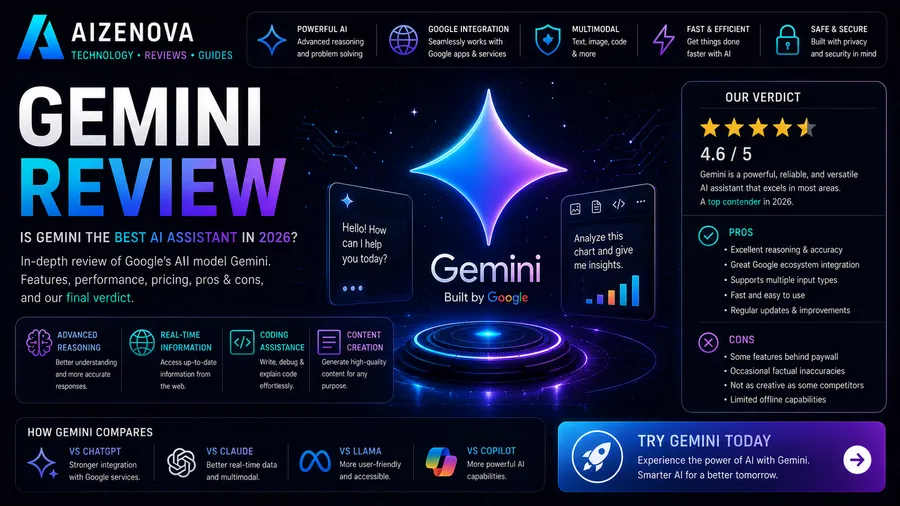
Artificial Intelligence has become an essential tool for productivity, learning, and software development. Among the leading AI assistants available today, Google Gemini stands out thanks to its deep integration with Google’s ecosystem and its powerful multimodal capabilities.
Whether you’re writing documents, summarizing emails, analyzing information, or generating code, Gemini aims to simplify everyday tasks for both individuals and businesses.
In this review, we’ll examine Gemini’s features, pricing, strengths, weaknesses, and whether it’s worth using in 2026.
What Is Google Gemini?
Google Gemini is Google’s AI assistant designed to help users complete a wide variety of tasks through natural language conversations.
It can assist with:
- Writing content
- Coding
- Research
- Brainstorming
- Data analysis
- Translation
- Email drafting
- Document summarization
- Learning new topics
Gemini also integrates with several Google products, making it especially useful for users already invested in Google’s ecosystem.
Key Features
AI Writing Assistant
Gemini can generate:
- Blog posts
- Emails
- Reports
- Marketing content
- Product descriptions
- Social media captions
Its writing style is clear, professional, and easy to customize.
Google Workspace Integration
One of Gemini’s biggest advantages is its integration with:
- Gmail
- Google Docs
- Google Sheets
- Google Drive
- Google Slides
- Google Calendar
This allows users to complete tasks without constantly switching between applications.
Coding Assistance
Gemini supports many programming languages, including:
- Python
- JavaScript
- TypeScript
- Java
- C#
- Go
- PHP
- SQL
- HTML
- CSS
Developers can use Gemini to:
- Generate code
- Debug applications
- Explain programming concepts
- Optimize existing code
Research Assistance
Gemini is useful for:
- Summarizing articles
- Explaining concepts
- Organizing information
- Brainstorming ideas
- Creating outlines
It helps users quickly understand complex topics.
Multimodal AI
Gemini can work with multiple types of content, including:
- Text
- Images
- Documents
This makes it useful for a wide range of productivity and learning tasks.
Performance
Writing
★★★★☆
Gemini produces clear and professional writing suitable for blogs, emails, and business documents.
Coding
★★★★☆
It performs well for code generation, debugging, and explaining programming concepts.
Productivity
★★★★★
Its integration with Google Workspace makes it particularly valuable for users who rely on Google services every day.
Research
★★★★★
Gemini excels at organizing information and helping users understand complex topics.
User Interface
Gemini offers a clean and modern interface.
Users can:
- Start conversations
- Continue previous chats
- Upload files (where supported)
- Ask follow-up questions
- Generate content quickly
The interface is simple enough for beginners while remaining powerful for experienced users.
Pricing
Google Gemini offers a free version with core AI features, along with paid subscription plans that provide access to more advanced models, higher usage limits, and additional capabilities. Pricing and available plans may change over time.
Pros
- Excellent Google Workspace integration
- Easy to use
- Fast responses
- High-quality writing
- Strong research assistance
- Good coding support
- Multimodal capabilities
- Modern interface
Cons
- Some advanced features require a paid subscription
- Responses should be verified for critical or sensitive decisions
- Some capabilities may depend on your Google account, region, or subscription plan
Who Should Use Gemini?
Gemini is ideal for:
- Students
- Business professionals
- Developers
- Content creators
- Researchers
- Digital marketers
- Entrepreneurs
- Google Workspace users
Gemini vs ChatGPT
| Feature | Gemini | ChatGPT |
|---|---|---|
| Writing | ⭐⭐⭐⭐☆ | ⭐⭐⭐⭐⭐ |
| Coding | ⭐⭐⭐⭐☆ | ⭐⭐⭐⭐⭐ |
| Research | ⭐⭐⭐⭐⭐ | ⭐⭐⭐⭐☆ |
| Google Integration | ⭐⭐⭐⭐⭐ | ⭐⭐⭐☆☆ |
| Creativity | ⭐⭐⭐⭐☆ | ⭐⭐⭐⭐⭐ |
| Ease of Use | ⭐⭐⭐⭐☆ | ⭐⭐⭐⭐⭐ |
Frequently Asked Questions
Is Google Gemini free?
Yes. Gemini offers a free version, while paid plans unlock additional features and higher usage limits.
Is Gemini good for coding?
Yes. Gemini supports many programming languages and can help with generating, debugging, and explaining code.
Can Gemini write articles?
Yes. Gemini can generate blog posts, reports, marketing content, emails, and many other types of written content.
Is Gemini better than ChatGPT?
It depends on your needs. Gemini is an excellent choice for users who rely heavily on Google Workspace, while ChatGPT is often preferred for creative writing, programming, and broader productivity features.
Is Gemini worth paying for?
If you regularly use Gmail, Google Docs, Google Drive, and other Google services, a paid Gemini subscription can improve productivity and streamline your workflow.
Final Verdict
Rating: ⭐⭐⭐⭐⭐ (4.8/5)
Google Gemini is one of the leading AI assistants in 2026, offering excellent writing capabilities, solid coding support, powerful research tools, and seamless integration with Google’s ecosystem.
For users who spend much of their time using Google Workspace, Gemini is an outstanding productivity tool. While it may not always match ChatGPT in creative writing or coding depth, it remains one of the best AI assistants available and is well worth considering for both personal and professional use.