· AIZENOVA · Artificial Intelligence · 9 min read
Best AI Tools in 2026: 25 Powerful Artificial Intelligence Tools You Should Try
Discover the best AI tools in 2026 for writing, coding, image generation, video creation, productivity, design, marketing, and business. Compare features, pricing, and find the right AI tool for your needs.
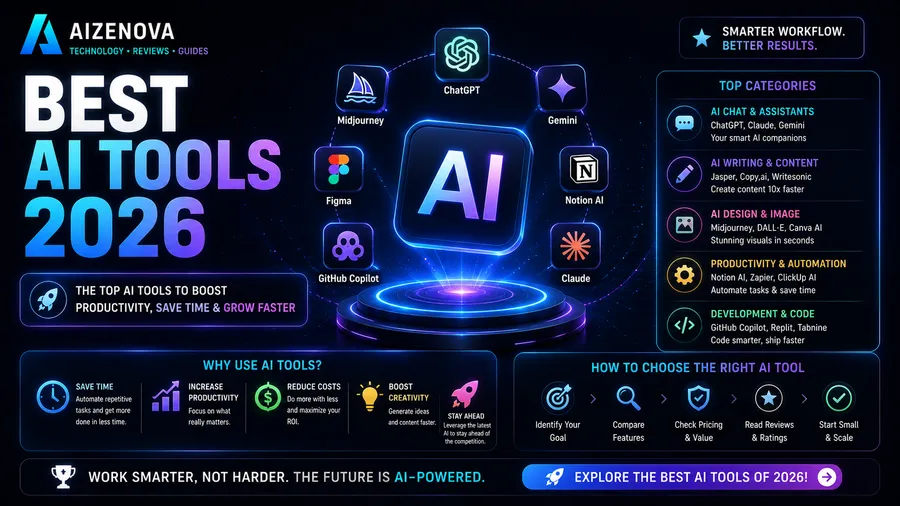
Artificial intelligence has transformed the way people work, learn, create content, write code, design graphics, and run businesses.
Today, AI tools are no longer limited to researchers or large technology companies. Students, freelancers, marketers, developers, designers, entrepreneurs, and content creators now rely on AI every day to improve productivity and save time.
From writing articles and generating realistic images to creating videos, analyzing data, building websites, and automating repetitive tasks, modern AI tools are changing nearly every industry.
The challenge is no longer finding an AI tool—it’s choosing the right one.
This guide explores the best AI tools available in 2026, compares their strengths, explains who they’re best for, and helps you decide which solutions deserve a place in your workflow.
Quick Summary
| Category | Artificial Intelligence |
| Number of Tools | 25 |
| Best For | Students, Developers, Businesses, Creators |
| Reading Time | 22 Minutes |
| Difficulty | Beginner |
| Last Updated | August 5, 2026 |
Definition
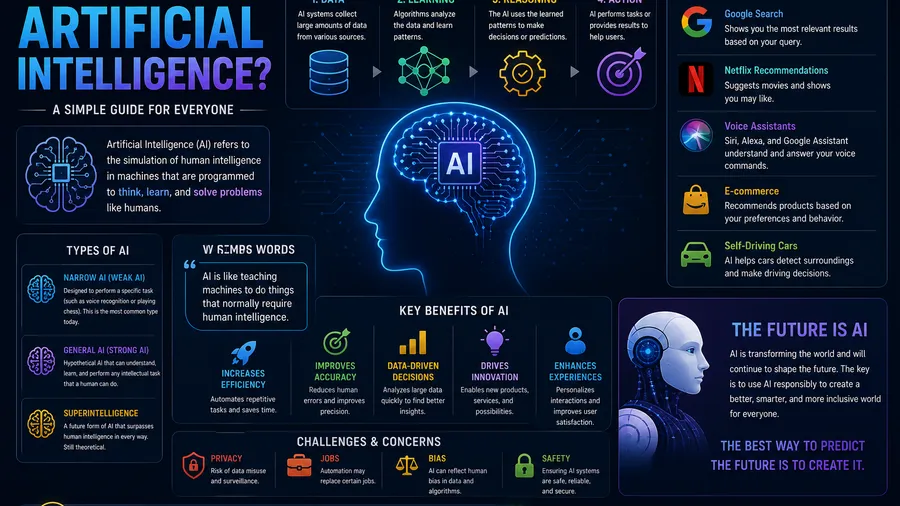
AI tools are software applications that use artificial intelligence to automate tasks, generate content, analyze information, solve problems, and improve productivity across a wide range of industries.
Table of Contents
- What Are AI Tools?
- Why AI Tools Are So Popular
- Best AI Writing Tools
- Best AI Coding Tools
- Best AI Image Generators
- Best AI Video Generators
- Best AI Productivity Tools
- Best AI Design Tools
- Best AI Marketing Tools
- Best AI Business Tools
- How to Choose the Right AI Tool
- Frequently Asked Questions
- Conclusion
What Are AI Tools?
AI tools are applications powered by artificial intelligence that help users perform tasks faster, more accurately, and often with less manual effort.
Instead of replacing human creativity, the best AI tools enhance productivity by handling repetitive work, generating ideas, analyzing information, and assisting with decision-making.
Today, AI tools can help with tasks such as:
- Writing articles
- Creating images
- Editing videos
- Programming
- Data analysis
- Graphic design
- Customer support
- Translation
- Research
- Marketing
- Presentations
- Meeting summaries
- Automation
Whether you’re a beginner or a professional, there’s an AI tool designed to simplify your workflow.
Why AI Tools Are So Popular
Artificial intelligence has become mainstream because it saves both time and money.
Instead of spending hours completing repetitive tasks, users can often finish them in minutes with the help of AI.
Some of the biggest benefits include:
- Increased productivity
- Faster content creation
- Better creativity
- Reduced repetitive work
- Improved collaboration
- Cost savings
- Easier learning
- Smarter automation
For businesses, AI can improve efficiency and reduce operational costs.
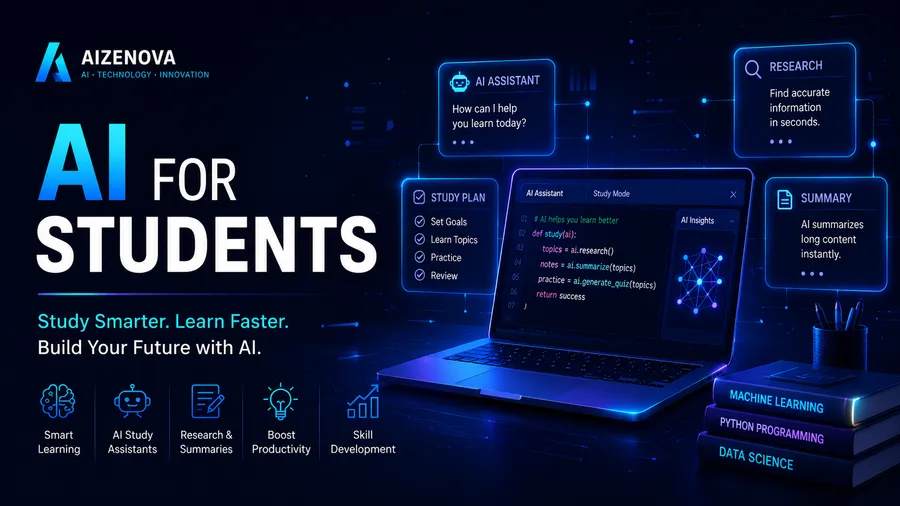
For students, it can simplify learning and research.
For creators, it accelerates content production while leaving more time for creative thinking.
Best AI Writing Tools
AI writing assistants help users draft, edit, rewrite, summarize, and improve written content.
These tools are useful for bloggers, students, marketers, businesses, and anyone who writes regularly.
| Tool | Best For | Free Plan |
|---|---|---|
| ChatGPT | General writing & research | Yes |
| Claude | Long-form writing | Yes |
| Gemini | Google ecosystem | Yes |
| Grammarly | Grammar & editing | Yes |
| Jasper | Marketing copy | Limited |
Each writing assistant has different strengths, so the best choice depends on your workflow.
Best AI Coding Tools
AI has also transformed software development.
Modern coding assistants can explain code, identify bugs, generate functions, and accelerate development.
Popular coding assistants include:
- ChatGPT
- GitHub Copilot
- Cursor
- Claude
- Gemini
- Codeium
These tools help developers spend less time on repetitive coding tasks and more time solving real problems.
Best AI Image Generators
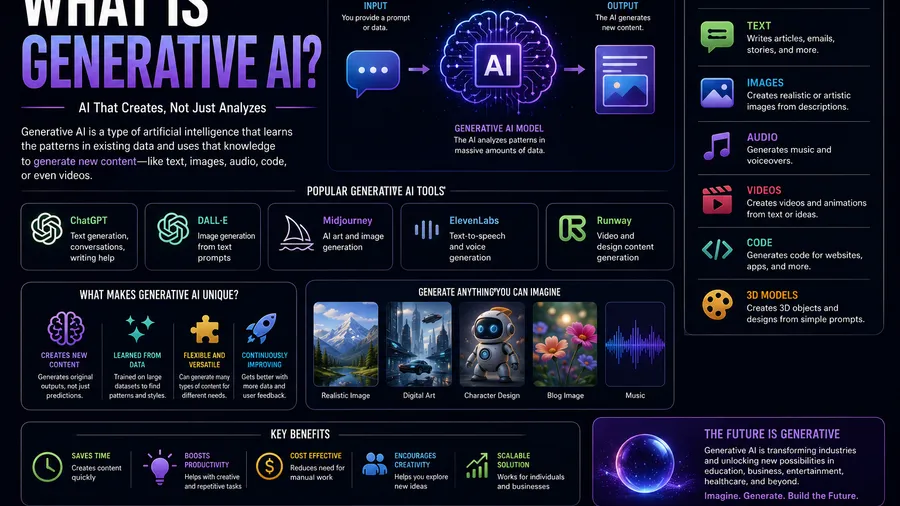
AI image generators allow users to create artwork, illustrations, realistic photos, logos, marketing graphics, concept art, and social media content using simple text prompts.
These tools have become valuable for designers, marketers, bloggers, game developers, and content creators.
Top AI Image Generation Tools
| Tool | Best For | Free Plan | Difficulty |
|---|---|---|---|
| ChatGPT Images | General image creation | Yes | ⭐☆☆☆☆ |
| Midjourney | Artistic images | No | ⭐⭐☆☆☆ |
| Adobe Firefly | Commercial design | Limited | ⭐⭐☆☆☆ |
| Ideogram | Posters & typography | Yes | ⭐☆☆☆☆ |
| Stable Diffusion | Custom image generation | Yes | ⭐⭐⭐☆☆ |
Each platform has unique strengths.
Some focus on photorealistic images, while others specialize in creative illustrations or commercial graphics.
Choosing an AI Image Generator
Consider the following when selecting an image tool:
- Image quality
- Prompt accuracy
- Editing capabilities
- Commercial usage rights
- Generation speed
- Pricing
- Ease of use
The best choice depends on your specific creative workflow.
Best AI Video Generators
AI video creation has advanced rapidly.
Modern tools can transform text, images, or presentations into professional-looking videos within minutes.
Popular use cases include:
- YouTube videos
- TikTok
- Instagram Reels
- Educational videos
- Product demonstrations
- Marketing campaigns
- Business presentations
Top AI Video Tools
| Tool | Best For | Free Plan |
|---|---|---|
| Google Flow | AI filmmaking | Limited |
| Pika | Short animated videos | Yes |
| Runway | Professional video editing | Limited |
| Kling AI | Realistic AI videos | Limited |
| Luma AI | Cinematic generation | Limited |
These platforms continue to improve in quality, making AI-assisted video production more accessible than ever.
What Makes a Good AI Video Tool?
Look for features such as:
- High-quality video output
- Natural motion
- Camera controls
- Character consistency
- Fast rendering
- Editing options
- Commercial licensing
Content creators should also consider export quality and workflow integration.
Best AI Productivity Tools
AI productivity software helps users organize information, automate repetitive tasks, and manage projects more efficiently.
Examples include:
- Note-taking
- Meeting summaries
- Email drafting
- Calendar management
- Task planning
- Research assistance
Recommended Productivity Tools
| Tool | Best For |
|---|---|
| Notion AI | Notes & knowledge management |
| Microsoft Copilot | Microsoft 365 productivity |
| Google Gemini | Google Workspace assistance |
| ChatGPT | Research & brainstorming |
| Perplexity | AI-powered search |
These tools reduce repetitive work and allow users to focus on higher-value tasks.
Best AI Design Tools
Graphic designers increasingly use AI to accelerate creative workflows.
Instead of replacing creativity, AI helps automate repetitive design tasks.
Popular design capabilities include:
- Background removal
- Image enhancement
- Logo concepts
- Color palette generation
- Social media graphics
- Presentation design
Recommended Design Tools
| Tool | Best For |
|---|---|
| Canva AI | Marketing graphics |
| Adobe Firefly | Professional creative work |
| Figma AI | UI/UX design |
| ChatGPT Images | Concept generation |
| Ideogram | Typography and posters |
Designers often combine multiple AI tools to achieve the best results.
Best AI Marketing Tools
Marketing teams use AI to improve content creation, customer engagement, and campaign performance.
Common AI marketing applications include:
- Blog writing
- SEO optimization
- Email campaigns
- Ad copy
- Social media planning
- Keyword research
- Content ideas
Top AI Marketing Solutions
| Tool | Primary Use |
|---|---|
| Jasper | Marketing copywriting |
| Surfer SEO | SEO optimization |
| Semrush AI | Content strategy |
| ChatGPT | Content planning |
| Copy.ai | Sales and marketing copy |
Businesses can use these tools to increase productivity while maintaining consistent messaging.
Best AI Business Tools
Artificial intelligence is transforming business operations across nearly every industry.
Organizations now use AI for:
- Customer support
- Data analysis
- Workflow automation
- Financial reporting
- Meeting assistance
- Internal documentation
Popular Business AI Platforms
| Tool | Best For |
|---|---|
| ChatGPT | General business tasks |
| Microsoft Copilot | Enterprise productivity |
| Google Gemini | Google Workspace |
| Salesforce AI | Customer relationship management |
| Notion AI | Internal documentation |
The right combination of AI tools can significantly improve operational efficiency.
💡 Productivity Tip
Rather than trying dozens of AI tools at once, start with two or three that solve your biggest daily challenges. Mastering a small workflow is usually more valuable than using many tools superficially.
How to Choose the Right AI Tool
With hundreds of AI applications available, selecting the right one can feel overwhelming.
Before choosing a tool, ask yourself:
- What problem am I trying to solve?
- How often will I use it?
- Does it integrate with my existing workflow?
- Is there a free plan?
- Are commercial usage rights included?
- Does it protect my data and privacy?
- Is it easy to learn?
Choosing a tool based on your actual needs is more effective than selecting one simply because it’s popular.
Free vs Paid AI Tools
| Free Plans | Paid Plans |
|---|---|
| Good for learning | More advanced features |
| Usage limits | Higher generation limits |
| Fewer customization options | Better productivity tools |
| Basic support | Priority support |
| Ideal for beginners | Ideal for professionals |
Many users begin with free plans and upgrade only when their workflow requires additional capabilities.
Common Mistakes When Using AI Tools
Artificial intelligence can dramatically improve productivity, but many users fail to get the best results because of avoidable mistakes.
Understanding these pitfalls will help you work more efficiently and make better use of AI.
1. Choosing the Wrong Tool
Not every AI tool is designed for every task.
For example:
- An AI writing assistant may not be the best choice for graphic design.
- An image generator cannot replace a project management platform.
- A coding assistant isn’t intended for video editing.
Select tools based on your actual workflow rather than popularity alone.
2. Writing Poor Prompts
AI is only as effective as the instructions it receives.
Instead of asking:
“Write something about AI.”
Try:
“Write a 1,500-word beginner-friendly article explaining artificial intelligence, including real-world examples, FAQs, and SEO-friendly headings.”
Clear prompts usually produce much better results.
3. Trusting Every AI Response
AI models can occasionally generate inaccurate or outdated information.
Always verify:
- Statistics
- Dates
- Medical information
- Financial advice
- Legal guidance
- Academic references
For important decisions, rely on trusted primary sources in addition to AI.
4. Ignoring Privacy
Avoid entering confidential information into AI tools unless you understand how your data is processed.
Never share:
- Passwords
- Financial information
- Sensitive business documents
- Personal identification details
- Private customer data
Responsible AI use includes protecting your own information.
5. Depending Entirely on AI
AI should support your work—not replace your expertise.
Human creativity, judgment, and critical thinking remain essential for producing high-quality results.
The best outcomes usually come from combining AI assistance with human review.
💡 Best Practice
Treat AI as a collaborator rather than a replacement. Let it handle repetitive work while you focus on creativity, strategy, and decision-making.
Frequently Asked Questions
What are AI tools?
AI tools are software applications that use artificial intelligence to perform tasks such as writing, coding, image generation, video creation, research, automation, and productivity.
Which AI tool is best overall?
There is no universal answer.
The best tool depends on your needs. ChatGPT is a versatile choice for writing, brainstorming, coding, and research, while specialized tools may be better for design, video editing, or enterprise workflows.
Are AI tools free?
Many AI tools offer free plans with usage limits.
Premium subscriptions typically provide faster performance, higher usage limits, additional features, and better collaboration options.
Can AI replace human workers?
AI is more likely to automate repetitive tasks than replace entire professions.
People who learn to work effectively with AI are generally better positioned than those who avoid it.
Which AI tool is best for students?
Students often benefit from tools that assist with:
- Learning concepts
- Research
- Writing improvement
- Note organization
- Language learning
- Coding practice
The best choice depends on individual study needs and institutional policies.
Which AI tool is best for programmers?
Developers frequently use AI for:
- Explaining code
- Finding bugs
- Generating functions
- Learning new programming languages
- Documentation assistance
Many developers combine multiple AI assistants throughout their workflow.
Are AI-generated images copyrighted?
Copyright rules differ between countries and platforms.
Always review the licensing terms of the AI service you use before publishing or selling generated content.
Can businesses safely use AI?
Yes, when implemented responsibly.
Organizations should establish clear policies regarding privacy, data security, accuracy, and human oversight before integrating AI into business processes.
How do I choose the right AI tool?
Consider:
- Your goals
- Budget
- Ease of use
- Integrations
- Privacy practices
- Output quality
- Long-term value
Testing free versions is often the best way to compare options.
Will AI continue improving?
Yes.
Artificial intelligence is advancing rapidly, with improvements in reasoning, multimodal capabilities, automation, personalization, and collaboration expected to continue over the coming years.
Conclusion
Artificial intelligence has become one of the most influential technologies of the modern era.
From writing and programming to design, marketing, education, and business operations, AI tools help individuals and organizations complete tasks faster, explore new ideas, and improve productivity.
The growing number of AI applications means there is no single “best” tool for everyone.
Instead, the ideal solution depends on your goals, budget, experience, and daily workflow.
Whether you’re a student looking for study assistance, a developer building software, a designer creating visual content, or an entrepreneur managing a business, selecting the right combination of AI tools can save time while improving the quality of your work.
As artificial intelligence continues to evolve, staying informed and learning how to use these technologies responsibly will become an increasingly valuable skill.
Key Takeaways
✓ AI tools help automate repetitive tasks and improve productivity.
✓ Different AI tools specialize in writing, coding, images, video, design, research, and business.
✓ Start with free plans before investing in premium subscriptions.
✓ Clear prompts usually produce better AI results.
✓ Always verify important information generated by AI.
✓ Protect your privacy and avoid sharing sensitive information.
✓ Combining human expertise with AI assistance produces the best results.
Related Articles
Continue exploring artificial intelligence with these guides on AIZENOVA:
- What Is Artificial Intelligence?
- AI for Students
- AI for Business
- Future of Artificial Intelligence
- How ChatGPT Works
- Best Free AI Tools
- ChatGPT vs Gemini
These articles provide deeper insights into AI concepts, practical applications, and emerging technologies.
About AIZENOVA
AIZENOVA publishes expert guides on Artificial Intelligence, Programming, Technology, Business, SEO, and Digital Marketing.
Our mission is to simplify complex topics through practical tutorials, honest comparisons, and actionable advice that helps beginners and professionals build valuable digital skills.
Whether you’re exploring the latest AI innovations, learning to code, growing an online business, or improving your productivity, AIZENOVA provides trusted resources to support your journey.